


Ever wondered how your website runs on other people's computer? Is it fast? Is it slow? Is it too fancy, too much component? Or is it too boring, too few things?
Try here.
You can just ener your website url and submit, the results will then be shown.
Results for this page:
Ouch, this web has over 30kb in size...Every web should keep the size below 30kb if possible. I'll try to reduce the size in time...
For a T1 broadband will take about 8 seconds, so for DSL broadband should take about 10 seconds. Using my office DSL broadband really takes around 10 seconds to load this blog, not very fast, not very long...Everyone should keep the loading time as low as possible...
In the bottom of the analsis, there're some Advices for your webpage too...
Showing posts with label Boards and Forums. Show all posts
Showing posts with label Boards and Forums. Show all posts
12 February, 2008
Web Page Analyzer
Labels:
Blogs,
Boards and Forums


21 January, 2008
Windows Live Messenger buttons
Labels:
Boards and Forums,
Instant Messenger
You can add a Windows Live Messenger button in your blog or your e-mail signature. It's simple, and neat too, to add such button below in your blog:
There're other choices for colors and text.
To create one, just visit www.messengerbuttons.com.
More information on Windows Live Messenger

17 January, 2008
How do RSS works, and how to use it?
Labels:
Blogs,
Boards and Forums,
How To...,
Internet Browser
For your information, RSS stands for 'Really Simple Syndication'
I'll not explain any deeper. For more details, you can look it up on wikipedia or you Google it.
Let's jump to the main question. How do RSS works?
Before the RSS even born, people used to check updates of a website, or blog, or whatever by visiting the website frequently. This, is very time consuming if you have about 30 friends' blog and 3 forum or news site to check...
Now, with RSS, you can save A LOT of your precious time. After you subscribed with the website you wanna keep track of, you'll be notified when the website is being updated. So all you need is to check out the updated site instead of every single one of 'em.
Watch a simple video explanation of RSS from YouTube
So, the most important thing here is, how to use it?
It's easy. All you need is a RSS reader. It could be your browser, it could be an external software, or a web-based reader, depends on your need.
How to use rss on IE7? (browser)
How to use rss on Firefox? (browser)
How to use rss on Mozilla Thunderbird? (e-mail client)
How to use rss on Google Reader? (web-based reader)
How to use rss on Internet Explorer 7?
Go to whatever website you wanna subscribe to, and click on the rss icon on your toolbar. (If it's dark and unclickable, that means the website you're looking at isn't supported with rss feed)

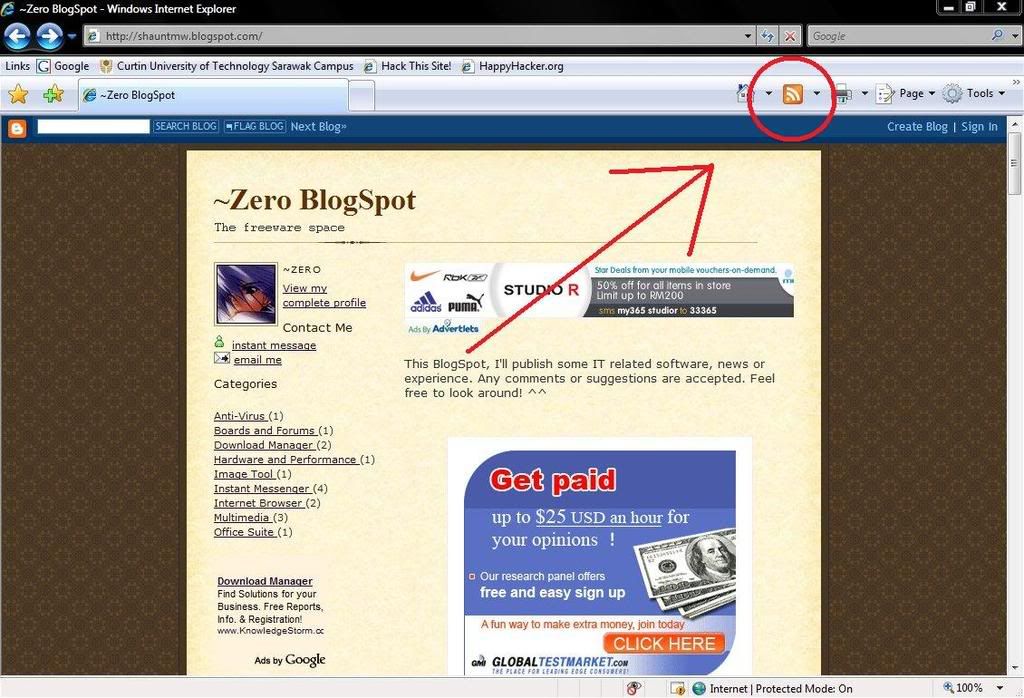
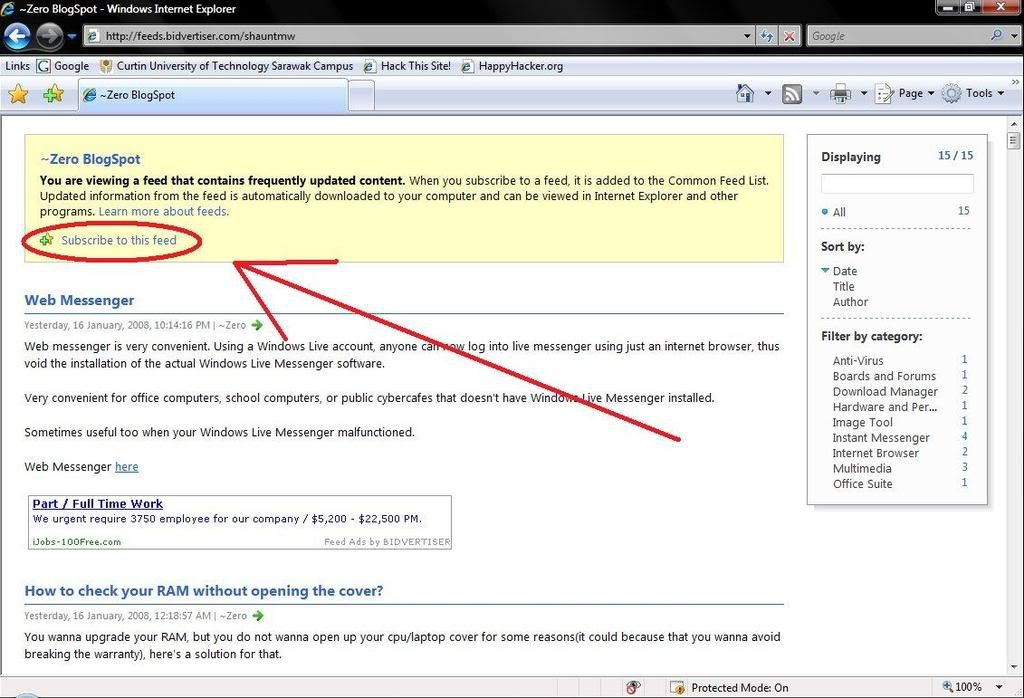
A page like this will most likely appear. Just click on the 'Subscribe to this feed' to subscribe.
You'll then be promted to save in which location. After saving, you can find the feed under the feed tab.
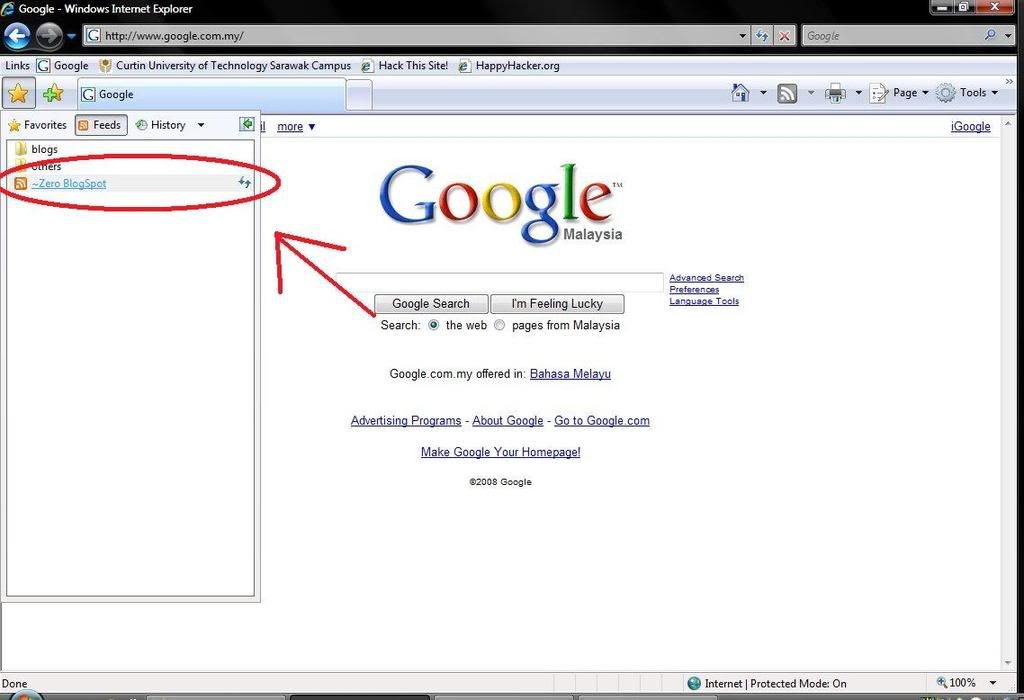
Viola~ done! So go on and subscribe to all your friends' blog and new sites as you want!
back to top
How to use rss on Mozilla Firefox 2?

Go to whatever website you wanna subscribe to, and click on the rss icon on the address bar. (If there're nothing, that means the website you're looking at isn't supported with rss feed)
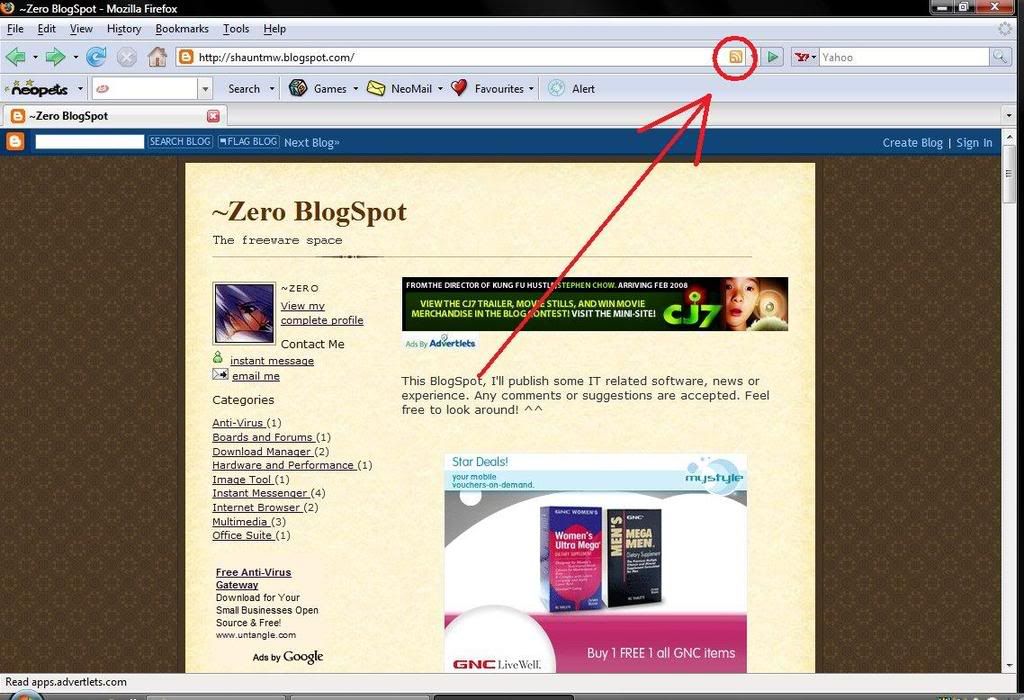
A page like this will most likely appear. Just click on the 'Subscribe now' button to subscribe.
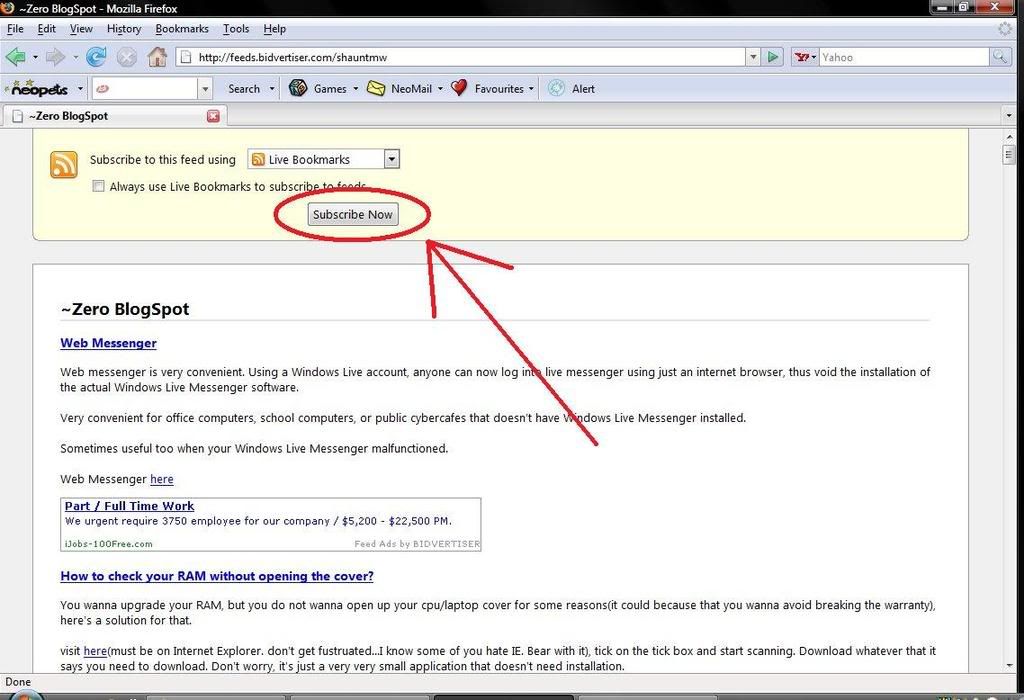
You'll then be promted to save in which location. After saving, you can find the feed under the bookmark menubar.
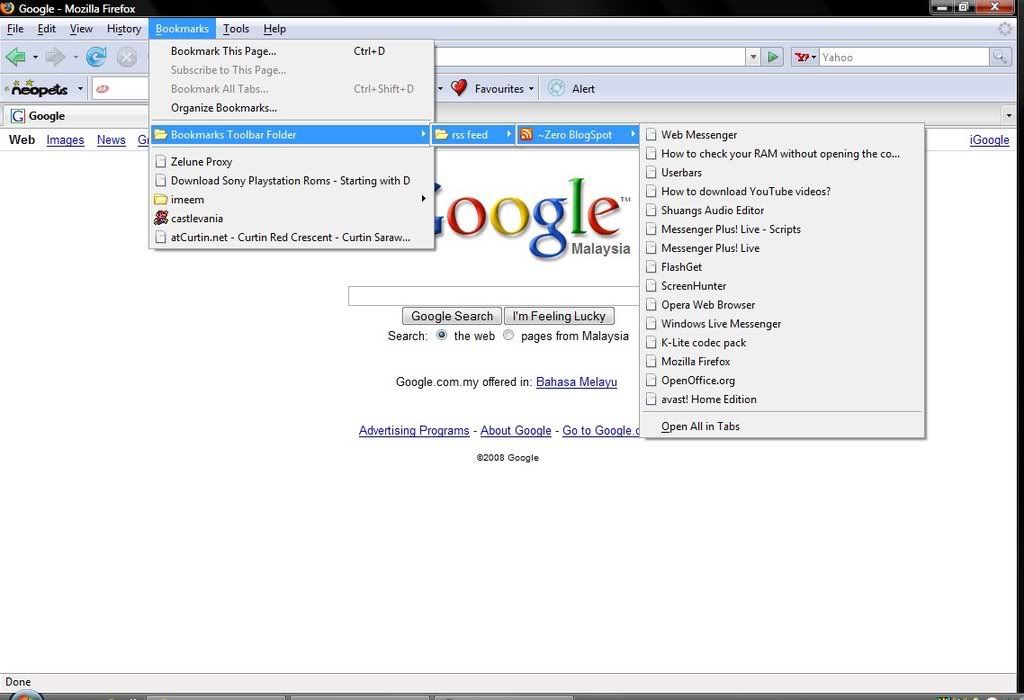
Viola~ done! So go on and subscribe to all your friends' blog and new sites as you want!
back to top
How to use rss on Mozilla Thunderbird 2?

Download and install Thunderbird
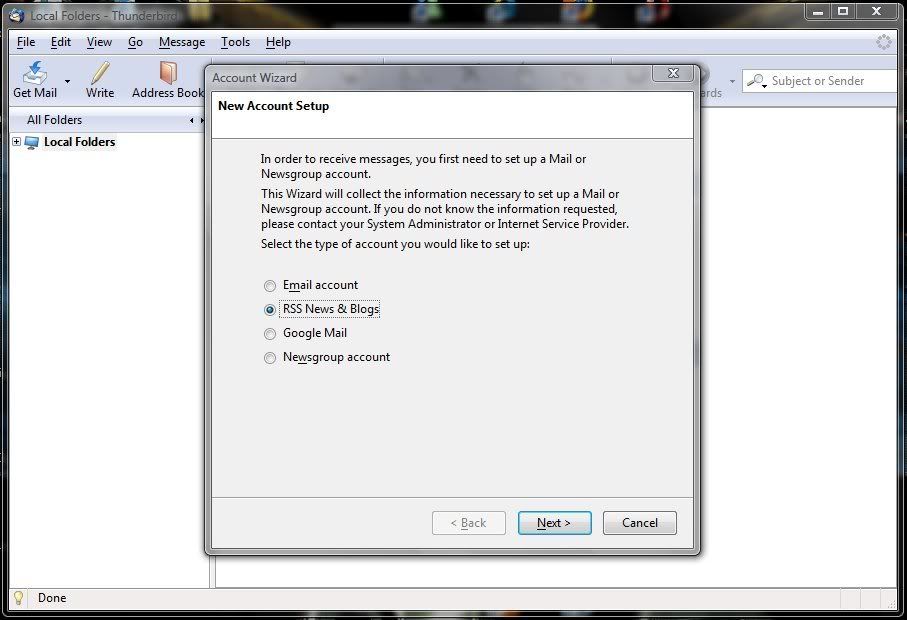
Create an account of 'RSS News & Blogs'. Next, Type in an account name.
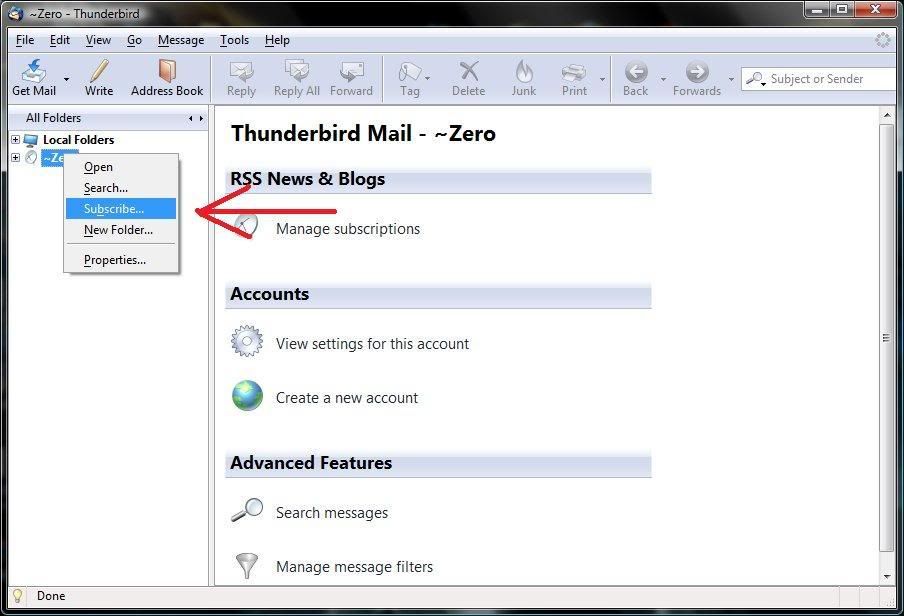
Right click on your account and choose 'subscribe'
Click the 'add' button, copy and paste the feed url into the box. The feed url can be found by clicking the rss button on websites, usually on the sidebar or the bottom of the site.
Some common rss button:


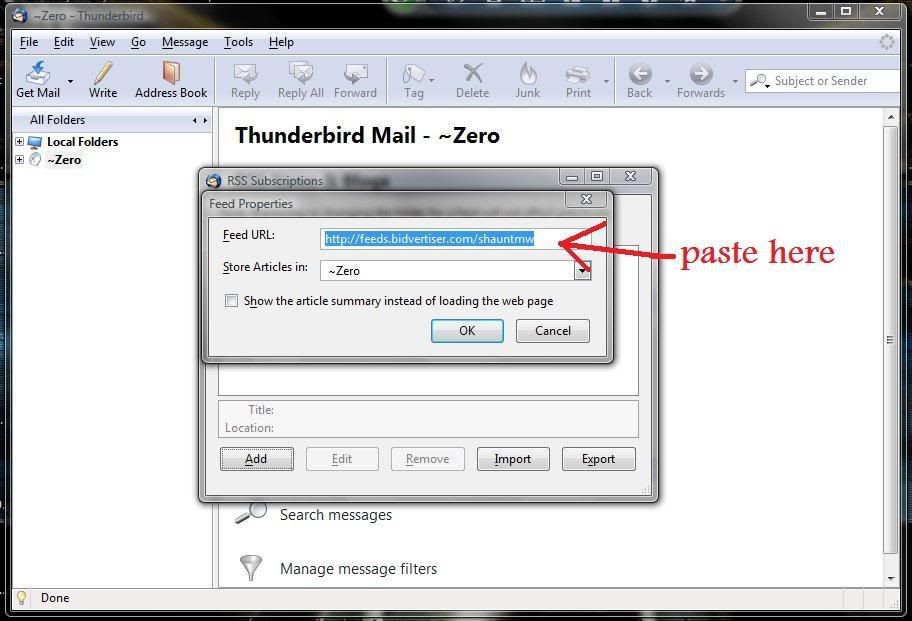
And finally, it will act as a rss reader for you. Unread posts are indicated with a star beside.
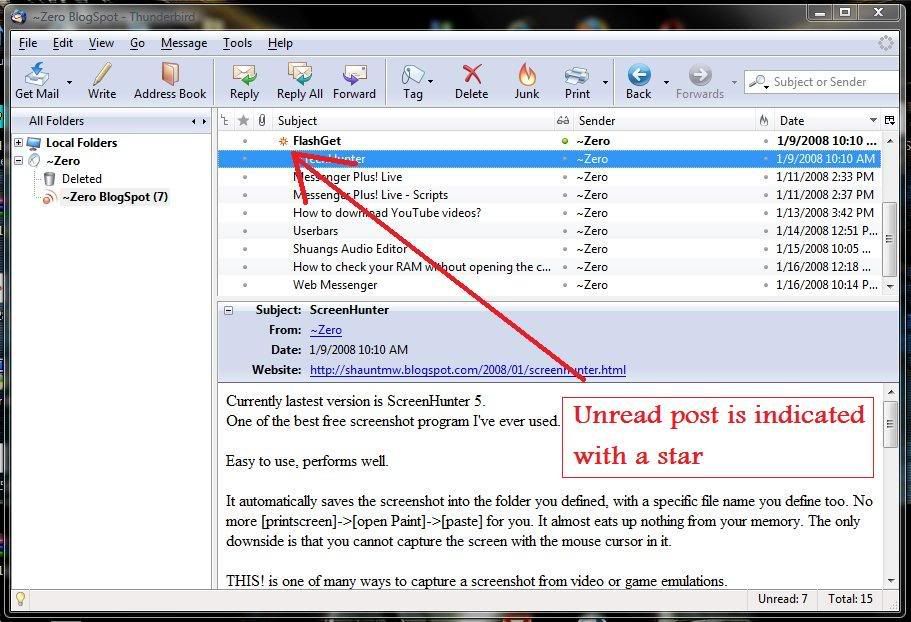
Viola~ done! So go on and subscribe to all your friends' blog and new sites as you want!
back to top
How to use rss on Google Reader?

Visit the Google Reader website at http://reader.google.com.
If you have a Google account, sign-in.
If you don't, sign-up one.
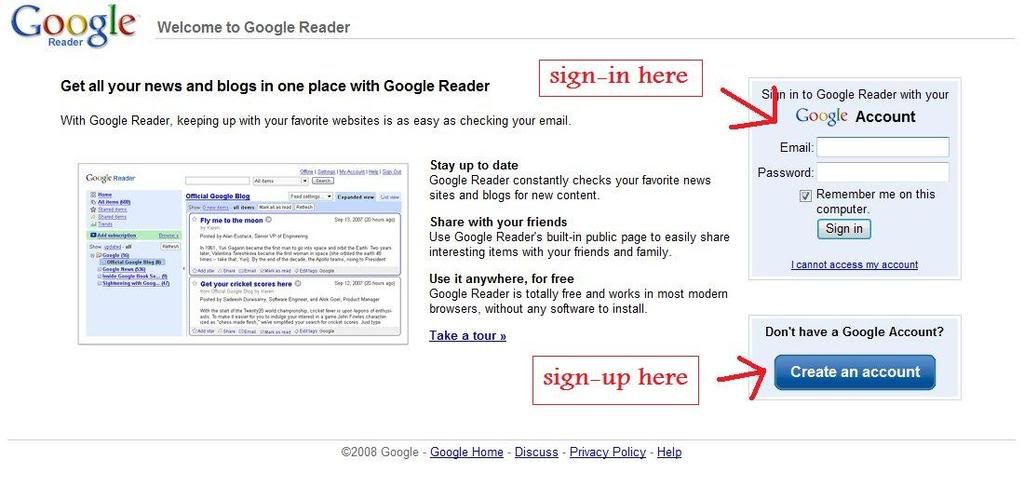
Once you sign-in/sign-up, you'll be redirected into your feed reader. To add a subsciption, click on the 'add subscription'
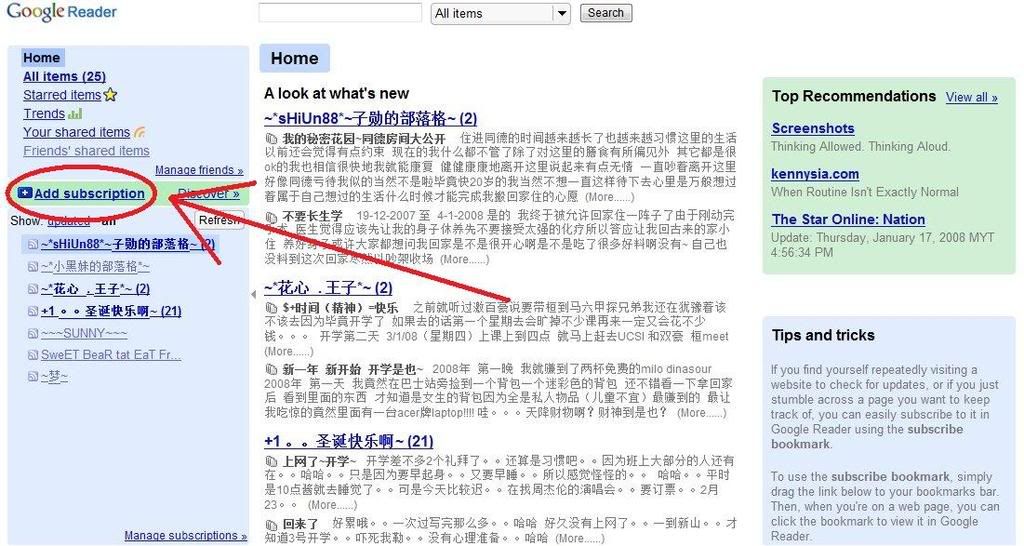
Copy and paste the feed url into the box and click 'add'. The feed url can be found by clicking the rss button on websites, usually on the sidebar or the bottom of the site.
Some common rss button:
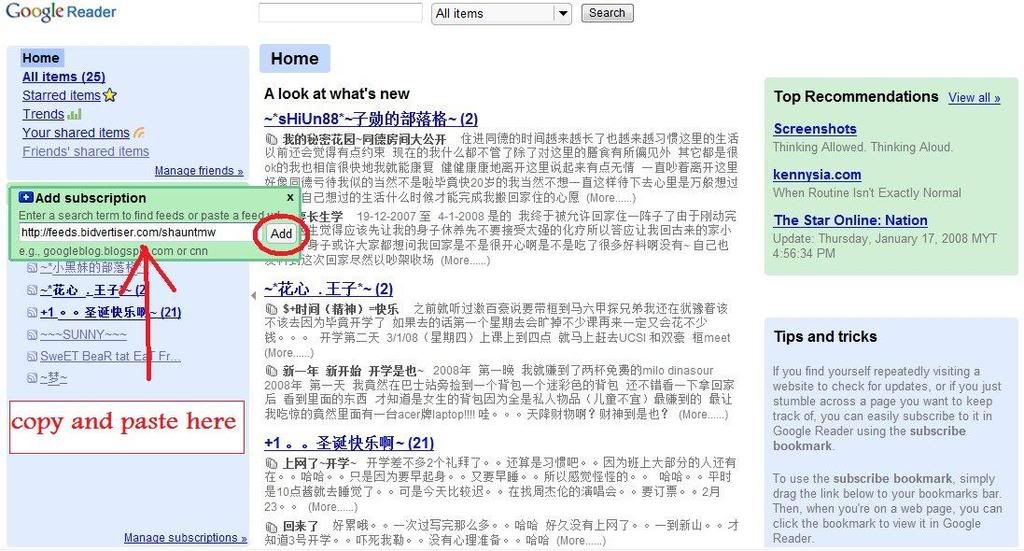
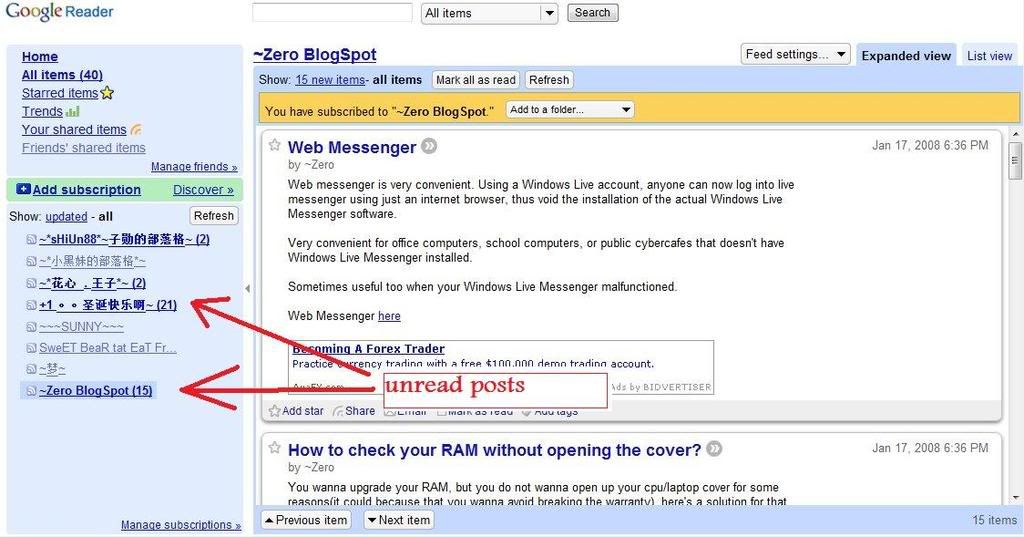
Finally, the unread posts will be bolded.
Viola~ done! So go on and subscribe to all your friends' blog and new sites as you want!
back to top
External Links:
RSS from wikipedia
A list of RSS readers from wikipedia
Search for RSS using Google
More information on Firefox
14 January, 2008
Userbars
Labels:
Boards and Forums
Userbars are small rectangle bars people used on forums signature. Standart size for userbars are usually 350*19 pixels.
Some are used to show identities:
Some are used for users to show their product:
You can even animate them if your signature is full of userbars:
Some are used to promote your personal blog or websites:
Some are just to show personal interests:
You can find more on
or search from Google
External Link:
Userbar @ wikipedia
Userbar @ Google


Subscribe to:
Posts (Atom)