This BlogSpot, I'll publish some IT related software, news or experience. Any comments or suggestions are accepted. Feel free to look around! ^^

Showing posts with label Image Tool. Show all posts

01 July, 2008

AveIconifier 2

This is a simple, free tool to convert whatever image you want into icon file(.ico), and you may apply it on your desktop icon or whatever.

Download site: WinMatrix

Although there stated that you can convert .png to .ico and vice-versa, I tried converting .jpg to .ico and it works still fine. These are some icons I created myself (edited from images from the web of course, those are folders for my school and office.)


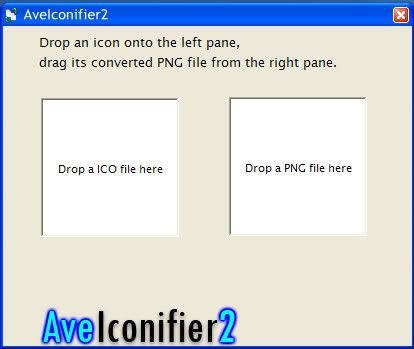
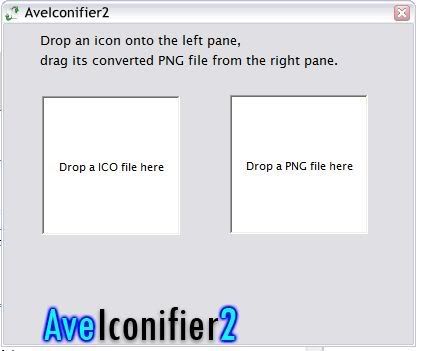
Below is a screenshot of the program (with a default skin, you can change the skin yourself, the download come with several skins. Check on the Tutorial on how to change the skin)

click to enlarge

So, how to use it? Simple.

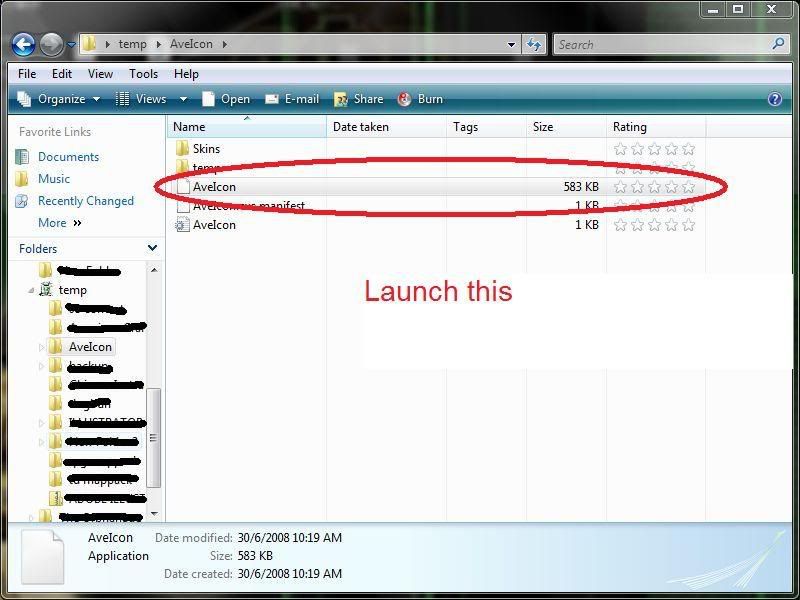
First, download and extract every files into a new folder. Launch the AveIcon.exe in the folder. No installation is required, it's a stand-alone program.
click to enlarge

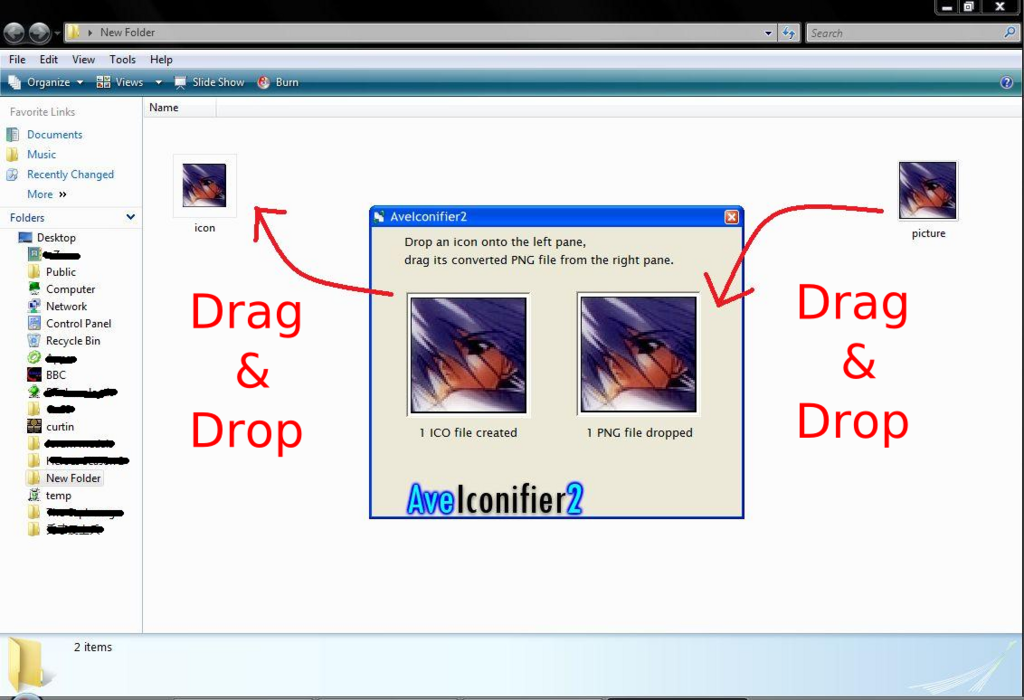
Just select the image you wanna convert (better be croped into square, or else the icon will be stretched. The online image resizer offer image cropping). Drag and drop onto the right frame, the program will then generate the icon onto the left frame, drag and drop the icon from the left frame onto windows explorer, and that's it. Simple.
click to enlarge

The same goes to converting icon into image, just drag and drop the icon file into he left and drag and drop the image from the right.


How to change the skin?
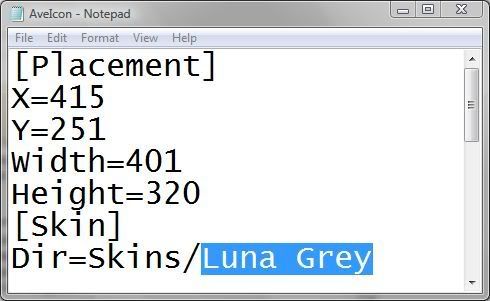
Right click the configuration setting AveIcon.ini open with notepad, change the Skins/Default into the skin you want to change, for example Luna Grey.
click to enlarge


Save it, done. The AveIconifier now have a new skin.
click to enlarge

18 January, 2008

Online Image Resizer

Shrink your photos or images before you put on your website is very important. If you do not intent to show the high-resolution raw photos for others, you should resize it smaller so that your website loads faster.

A 1600*1200 pixels photo may take up 3 to 5 second to load(depending on file format). While a 640*480 pixels photo will take less than half of the visitors' time(around 1 to 2 seconds).

Using the <img> height and width tag can shrink the picture size to fit your website, but it does not reduce the file size. The only way to reduce the file size is to resize it.

http://www.resize.it is one of the online resizer you can find on the internet. There are more, you can just simply Google it.

07 January, 2008

ScreenHunter

Currently lastest version is ScreenHunter 5.
One of the best free screenshot program I've ever used.

Easy to use, performs well.

It automatically saves the screenshot into the folder you defined, with a specific file name you define too. No more [printscreen]->[open Paint]->[paste] for you. It almost eats up nothing from your memory. The only downside is that you cannot capture the screen with the mouse cursor in it.

THIS! is one of many ways to capture a screenshot from video or game emulations.
Now you could capture screenshots from your favourite video and make it your wallpaper.

Download Link:

or

or


External Links:
wisdom-soft official website